
Main Causes of obd2 code P2474
From my time under the hood, these are the usual suspects for a P2474:
- Number one is a failed exhaust gas temperature sensor (EGTS) at Bank 2, Sensor 4. These sensors just wear out or get cooked over time.
- Next up, wiring harness issues-open circuits, shorts, or wires that have been baked brittle or rubbed through on a hot exhaust shield. I see this all the time, especially on high-mileage rigs.
- Loose or corroded electrical connections at the sensor or its plug. Bent pins or a connector that’s half clicked-in can drive you nuts chasing this code.
- Exhaust leaks in the area of the sensor. Even a pinhole can let enough air in to mess up temperature readings.
- Soot or particulates building up on the sensor’s tip. If the sensor’s coated, it can’t read right.
Once in a blue moon, I’ll find an ECM problem, but honestly, I’d leave that for last after you’ve checked the basics.
Common Symptoms of P2474 code
So, what should you watch for if your truck’s tossing a P2474? Here’s what I typically see:
- The check engine light comes on and stays lit. Nine times out of ten, that’s your first clue.
- Sometimes, the engine will go into reduced power or limp mode-especially if the ECM thinks emissions are running wild.
- Maybe you’ll feel a slight loss of power or notice some extra smoke from the tailpipe. But, honestly, a lot of folks don’t catch any change until the problem gets worse.
- If you let it slide, you might run into trouble with DPF regeneration or even do real damage to the emissions gear down the line.

Step by Step Diagnosis for obd code P2474
Let me walk you through how I’d tackle this code in the shop:
- First, always start with a good visual once-over. Pop the hood, trace the wiring to the exhaust gas temperature sensor (Bank 2, Sensor 4), and look for anything obvious-broken wires, melted insulation, or a harness dangling too close to the exhaust. Sometimes you’ll spot the problem before you even touch a tool.
- Next, check the sensor’s connector. Make sure it’s snapped in tight. Look for any green corrosion on the pins or signs of water intrusion. Sometimes unplugging and plugging it back in is all it takes to spot a dodgy connection.
- Give the sensor itself a close look. If it’s caked in soot or the body looks cracked, there’s your clue. While you’re at it, check for exhaust leaks nearby-look for black carbon marks or listen for a ticking sound, especially on a cold start.
- If all that checks out, grab a scan tool and watch the live data from Bank 2, Sensor 4. Compare its readings to the other exhaust temp sensors. If one is way off, odds are you’ve found your culprit.
- If you’ve got a multimeter handy, test the resistance across the sensor (engine off, sensor unplugged). Match it up to the specs in your service manual. If the readings are out of whack, the sensor’s toast.
- If both the sensor and wiring look fine, your next move is to check for continuity and shorts between the sensor and ECM. This step’s a whole lot easier if you’ve got a wiring diagram in front of you.
Here’s a pro tip: have a buddy help you poke around for exhaust leaks or wiggle wires while you’re watching the scan tool-sometimes those intermittent faults only show up when things are moved just right.
Avoiding Common Mistakes with dtc P2474
A classic mistake I see in the shop is jumping straight to swapping out the sensor without checking the wiring or connector first. More often than not, it’s a harness issue or a crusty connector, not the sensor itself.
- Skipping a careful exhaust leak check near the sensor. Even a little leak can throw your readings way off.
- Failing to compare Bank 2, Sensor 4’s data to the other exhaust temperature sensors. If just one is way out of line, that’s your smoking gun.
- Ignoring soot buildup on the sensor. Sometimes a quick cleaning buys you some time, but if that sensor’s really fouled, replacing it’s your best bet.
Don’t get ahead of yourself-take the time to check each step. Otherwise, you’ll end up wasting money and replacing perfectly good parts.

Seriousness of a P2474 engine code Issue
Let me be straight with you-this isn’t a code to shrug off. Even if you don’t notice any major changes in how your truck runs, a bad exhaust gas temperature sensor can quietly wreak havoc on your emissions system. The ECM needs reliable readings to keep the DPF and DOC safe. If it’s flying blind, you could overheat or even destroy those components. Worst case? A blocked DPF or a melted catalyst, and trust me, those repairs get expensive fast. My advice: don’t let this sit-jump on it before a small fix turns into a major headache.
Effective Repair Solutions for a P2474 trouble code
Here’s how I typically fix a P2474 in the bay:
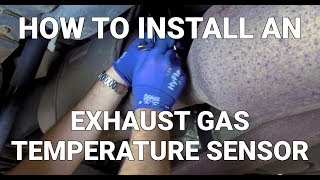
- Replace the exhaust gas temperature sensor (Bank 2, Sensor 4). Nine times out of ten, this does the trick.
- Fix or replace any damaged wiring or connectors you found during your checks. Don’t overlook even a single frayed wire.
- If the sensor’s just got a light layer of soot, try cleaning it. But if it’s heavily coated or pitted, swap it out.
- Seal up any exhaust leaks nearby-a new gasket or clamp is sometimes all you need.
- Once you’re done, clear the code with your scan tool and take the truck for a spin. If the code stays gone, you’re golden.
What I always tell folks: double-check your work before you button everything up. Nothing’s more frustrating than redoing a job because you missed something simple.


Conclusion
Bottom line-P2474 means your exhaust gas temperature sensor (Bank 2, Sensor 4) isn’t playing nice, and that spells trouble for your emissions setup. Handle it sooner rather than later, and you’ll dodge much bigger (and pricier) issues. Start with a patient, thorough inspection-sensor, wiring, connectors, and don’t forget to look for soot or leaks. Most of the time, a new sensor or a quick wiring fix is all it takes. Not comfortable tackling it yourself? No shame in taking it to a pro-your emissions gear is too vital to risk a guess-and-check approach.

 5044
5044 7 minutes of reading